n8n item linking: why .item and .first() behave differently
 Devchandra Shrestha
4 min read
Short answer
n8n records which input item produced each output item. .item follows that link back to an earlier node, while .first() takes that node’s first output. When the link is missing or ambiguous .item fails even though the node holds data, so .first() can clear the error and return the wrong record.
Researched explainer. Supporting documentation and research are linked in the article.

An earlier node can contain the email address you need while an expression still cannot select it. In n8n, a reference to a matching item also depends on the path that connects that item to the current one.
This article explains the documented behaviour. The examples describe data relationships; they are not a tested workflow download. More articles are in Automation, alongside the tested n8n setup on Coolify.
What item linking records
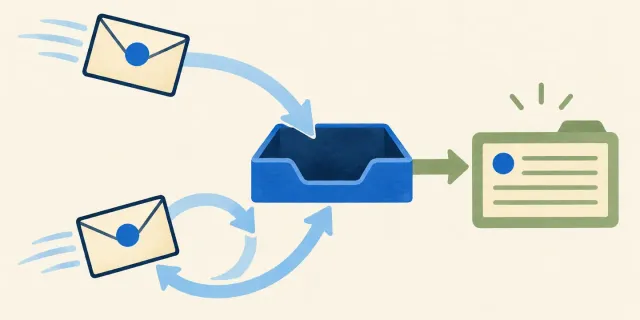
A node receives items and produces items. n8n keeps metadata connecting an output to the input, or inputs, that produced it. Those connections let a later node trace a record back through the workflow. The official item-linking overview describes this chain, including the complications when nodes split or combine data.
Consider a hypothetical customer list containing Asha and Ben. A later node removes Ben because his record does not match a filter. Asha’s remaining record still belongs to Asha, even if its position within a list changes. Item linking preserves that relationship through the workflow. The business identifier in the record and the metadata used by n8n have different jobs: one identifies the customer, while the other describes how this output was produced.
.item selects by relationship; .first() selects by position
The node-output reference
defines .item as the matching item from a previous node, .first() as its
first output and .all() as an array of its outputs.
| Reference | Selection rule | Meaning in a customer workflow |
|---|---|---|
.item |
Follow the current item’s link | The customer associated with this item |
.first() |
Select the first output | The customer at the start of the chosen output |
.all() |
Return the output array | The collection, requiring a further choice if one customer is needed |
Suppose the hypothetical workflow now processes Ben’s order. Selecting the first customer returns Asha if she occupies that position. The expression can return a valid email address while assigning the order to the wrong person.
A single configuration record shared by every item is a different case. Selecting that first and only record can express the intended relationship. The workflow’s data model determines whether positional selection makes sense.
Why a populated node can still produce a linking error
n8n’s item-linking error reference distinguishes broken links, links pointing to multiple earlier items and references to a different branch. Its documented errors include “Info for expression missing from previous node” and “Multiple matching items for expression”.
A broken link leaves n8n without enough information to identify the earlier item. An ambiguous link gives it several candidates. An output representing an entire customer group, for example, may legitimately originate from multiple people. A later request for one person’s email then needs a selection rule that the group itself does not provide.
That explains why swapping in .first() can remove an error without preserving
the intended result. The new reference asks a simpler positional question.
Where the Code node changes the picture
Most nodes handle pairing automatically. The
Code-node pairing documentation
identifies multi-item cases involving newly created or returned items where the
code may need to supply pairedItem information. It also says n8n handles
single-item linking automatically.
Pairing describes the actual source of an output. If a transformation reorders records, the first output may have come from a later input. If it combines records, several inputs may be involved. Assigning every output to the first input would describe the wrong relationship, even if later expressions stopped reporting errors.
The Code-node itemMatching reference describes retrieving an earlier linked item using the current input’s index. It is useful background for understanding the data path; the appropriate code depends on what a particular transformation creates.
What a meaningful verification would show
A useful workflow test would contain distinguishable records and evidence that each result belongs to the intended source. A single-record example cannot expose a mistake that assigns every result to the first customer. For a published walkthrough, the test record would also need the n8n version and the actual node outputs.
A workflow that completes with incorrect assignments belongs to the broader problem of automations that fail silently. Repeated deliveries have a separate explanation in webhook retries and duplicate events.
Did this fix it?
We re-test the guides that stop working. Telling us is the fastest way to get one fixed.
Questions people also ask
- Does paired item data unavailable mean the earlier node returned nothing?
- It can mean the relationship to the earlier item is missing or ambiguous. The earlier node may still contain records; retrieving one record and identifying the record that belongs to the current item are different operations.
- Is .first() a safe replacement for .item?
- Only when the first output is the record the workflow actually needs. It changes the selection rule and can give several downstream items the same customer's data.
- Does every Code node need pairedItem?
- No. n8n handles many links automatically, including single-input-item cases. Its documentation identifies multi-item scenarios involving new or returned items where explicit pairing may be needed.
Devchandra ShresthaEditor, A2Z Skills
I run A2Z Skills and edit everything that goes out. My own testing is desktop and web: Windows and macOS repair, domains, DNS and hosting. If a step in one of our guides does not work on your machine, I am the one who reads the email and fixes the post.
Read next
- n8n error workflows and the Error Trigger node
An n8n error workflow is a separate workflow starting with the Error Trigger node, which runs when another wor…
 Why webhooks arrive twice: retries and duplicate events
A webhook arrives twice when the sender cannot confirm the first delivery succeeded, or when somebody asks for…
 Why automations fail silently
A workflow can report success while missing its intended result, usually because a step returned empty data, p…
 n8n webhook not working: test and production 404s
An n8n test webhook URL returns 404 until the workflow’s test listener is running, and a production URL return…